

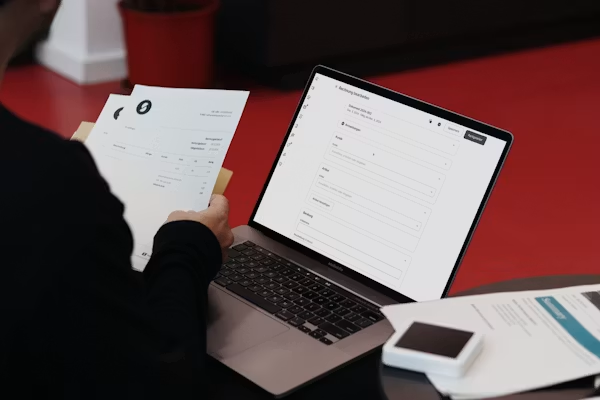
If you run a small business, you know how crucial it is to get paid on time. Switching from old-fashioned paper invoices to a slick online system can really boost your cash flow and free up tons of time. This guide will show you how to master online invoicing so you can spend less time on paperwork and more time growing your business.
Why Online Invoicing Matters
Moving to online invoicing isn’t just about sending a PDF instead of a paper bill. It’s a huge upgrade for how you do business. Online invoices land in your clients’ inboxes instantly, which can seriously speed up when you get paid. They also look sharper and are much less likely to get lost in a pile of mail.
This digital approach cuts down on manual mistakes and gives you a clear, searchable record of all your transactions. When you can quickly see who’s paid, who’s late, and what your monthly income looks like, you get a powerful grip on your company’s finances. It’s a simple change that brings immediate, noticeable benefits to your bottom line.
Choosing the Right Platform
With so many choices out there, picking the right invoicing platform can feel a bit much. The best one for you really depends on what your business needs, your budget, and your industry. Some platforms are just simple invoicing tools, while others are part of bigger accounting packages. Start by looking for essential invoicing software features like templates you can tweak, payment tracking, and options to accept online payments.
Think about what you do. A freelance graphic designer will need different things than someone who does home repairs. Many platforms have special features for certain industries, like time-tracking for consultants or options for secure payments for contractors who work on-site. Try out a few free trials to see which one feels easiest to use before you commit.
Creating Professional Invoices
A professional invoice does more than just ask for money; it builds your brand and makes things clear. Every invoice you send should be a polished reflection of your business. Make sure it includes:
- Your company logo and how to reach you.
- Your client’s name and address.
- A unique invoice number so you can track it.
- The date you sent the invoice and when payment is due.
- A detailed list of services or products with clear descriptions and prices.
- The total amount due, including any taxes.
- Your payment terms and the ways clients can pay you.
Keeping your invoice format consistent helps clients know what to expect and makes you look organized and dependable. Most online platforms offer templates you can easily customize with your branding for a professional touch.
Automating Payment Reminders
One of the coolest things about online invoicing is that it can automatically send payment reminders. Chasing down late payments is awkward and takes up a lot of time. An automated system can do this for you, sending polite, pre-written emails to clients when a payment is almost due or already late.
You can usually set when and how these reminders sound. For instance, you might schedule a friendly heads-up a few days before the due date and a more direct follow-up a week after a payment is late. This systematic approach makes it more likely you’ll get paid on time without messing up your client relationships. Many of the best billing software solutions make this easy to set up and manage.
Integrating with Accounting Tools
To really get the most out of your invoicing system, link it up with your accounting software. When your invoicing platform “talks” to your accounting tool, every paid invoice automatically gets recorded as income, and your financial reports update instantly. This connection means you don’t have to manually enter sales data, saving you hours of work and reducing mistakes.
This integration gives you a constant, accurate look at how your business is doing financially. It makes reconciling your bank statements easier and simplifies tax prep because all your income is neatly organized. When your systems work together, you get a clear picture of your cash flow and profits without all the administrative headaches.
Using these online invoicing tips helps you create a smoother, more professional payment process. This way, you can secure your cash flow and focus your energy on what you do best: taking care of your customers.